

MouseMacros
 A lightweight, cross-platform Java tool for recording and replaying mouse and keyboard macros.
Preview
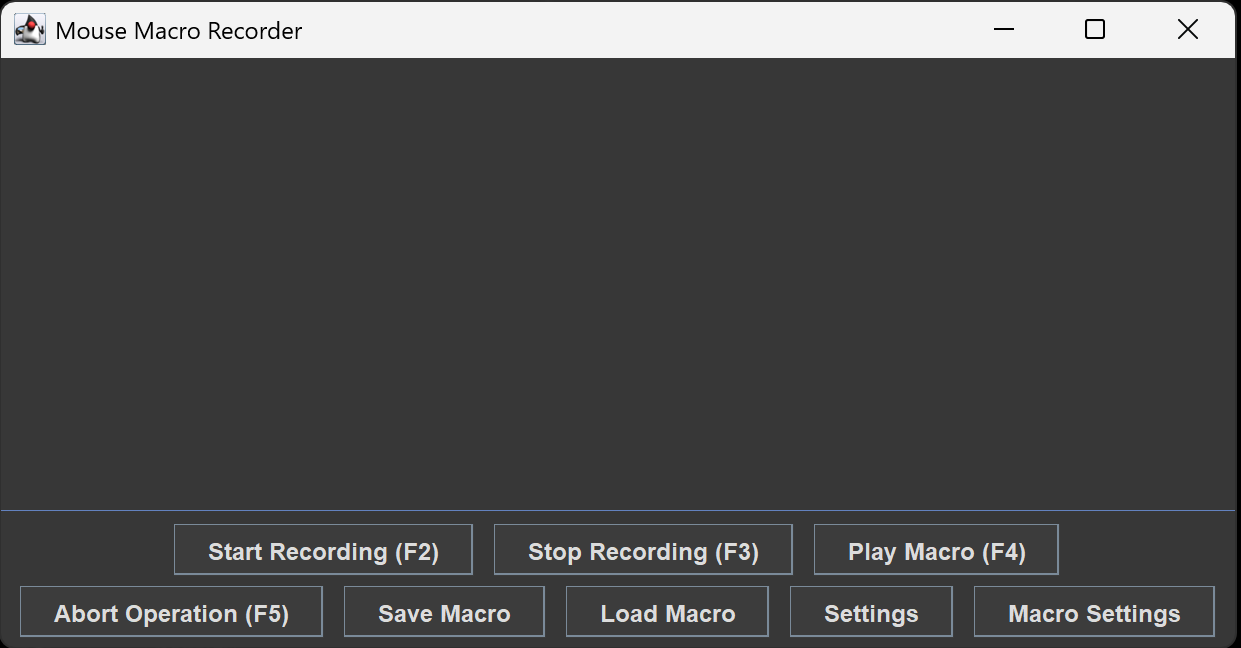 The main interface of MouseMacros.
Features
- Comprehensive Recording: Capture Mouse Left/Right/Middle clicks, Scroll Wheel movements, and Keyboard inputs seamlessly.
- Global Hotkeys: Control the application even when it’s minimized. Fully customizable keys for:
- Start/Stop Recording
- Play Macro
- Abort Operation (Emergency stop for runaway macros)
- Multi-Language Support: Built-in localization for English (US) and Simplified Chinese, other supported languages includes Japanese, Russian, Korean, Spanish and French.
- Theme Engine: Supports Light and Dark modes, with an option to follow system settings automatically.
- Persistence: Macros are saved as
.mmc(CSV-formatted) files, allowing for easy sharing and manual editing. - Smart Memory: Remembers window sizes, last-used directories, and custom configurations across sessions.
- Floating Tooltip: Shows helpful instructions and tips near the cursor for easier operation.
Getting Started
Quick Launch
I. Jar User
- Make sure that you have installed JRE 1.8 or above. If not, you can download HERE.
- Download the latest
.jarfile from the Releases page. - Double-click the jar file OR use cmd to run the application:
Terminal window java -jar MouseMacros.jar
II. Exe User
- Download the latest
.exefile from the Releases page. - Click to start! All environments are integrated into one
exefile!
Usage
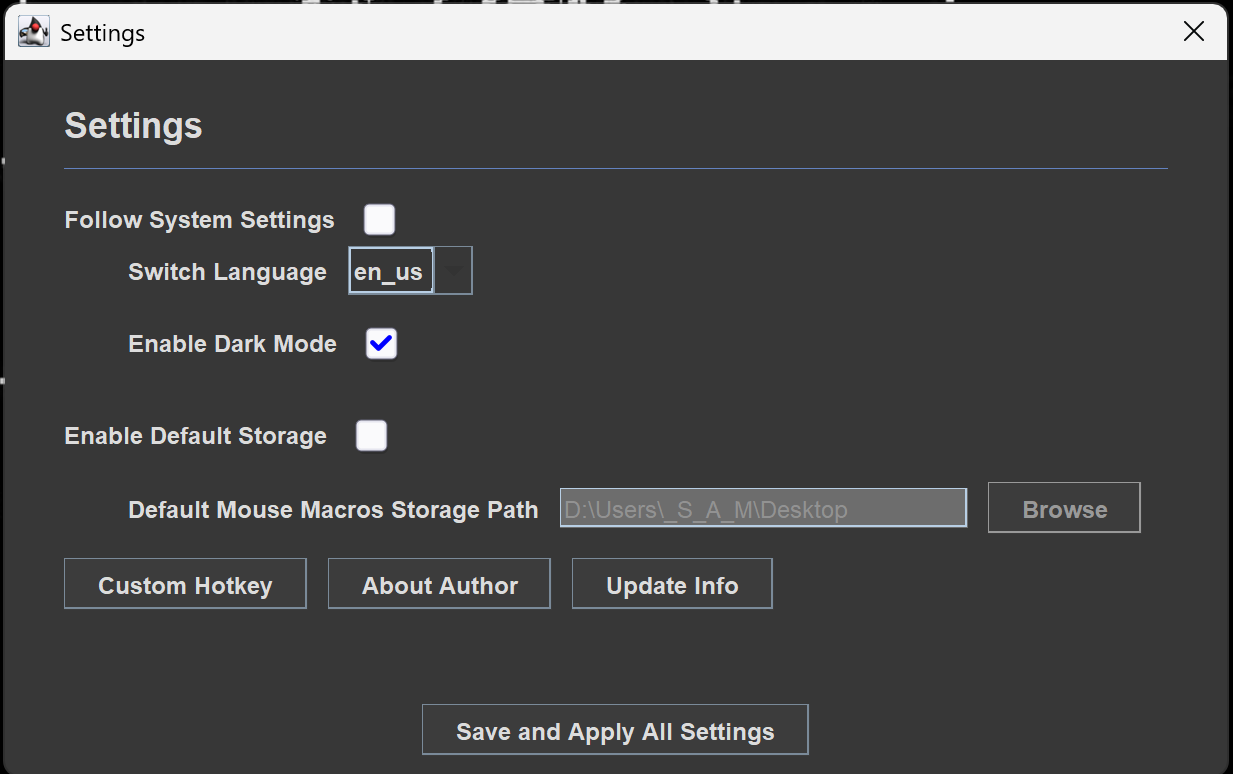
- Adjust: The choose of language will determine the words in the frame, thus resulting in some buttons not being displayed in the frame. In this case, you will need to adjust the frame to the appropriate size.
- Configure: Open the Settings dialog and Macros Settings dialog to set your preferred hotkeys. For detailed configuration docs, please refer to Configuration.
- Record: Press your “Start Recording” hotkey or press this button in the frame and perform the actions.
- Save: Use “Save Macros” to export your recording to a
.mmcfile. - Replay: Use “Load Macro” to load a
.mmcfile and press “Play Macro”.
Configuration
The application stores settings in the user’s AppData directory:
%USERPROFILE%/AppData/MouseMacros/
| File | Description |
|---|---|
config.cfg | Stores UI language, theme mode, key mappings, and default storage path. |
cache.json | Stores recent file paths and window dimensions. |
Settings Dialog Options
| Name | Key | Description |
|---|---|---|
| Follow System Settings | followSystemSettings(boolean) | Controls whether to follow System default settings or not. |
| Switch Language | lang(String) | If followSystemSettings is false, you can use this combo box to choose another display language. |
| Enable Dark Mode | enableDarkMode(boolean) | If followSystemSettings is false, you can use this check box to choose whether to enable Dark Mode. |
| Enable Default Storage | enableDefaultStorage(boolean) | Controls whether to enable defaultMmcStoragePath. If it is true, the lastSaveDirectory and lastLoadDirectory in cache.json will be ignored. Every time you open the FileChooserDialog(in “Save Macro” and “Load Macro”), it will automatically open the folder with defaultMmcStoragePath. The same applies in reverse. |
| Default MouseMacros Storage Path | defaultMmcStoragePath(String) | If followSystemSettings is true, it will determine the default folder everytime you open the FileChooserDialog(in “Save Macro” and “Load Macro”). If the folder in this option doesn’t exist, the app will first attempt to create this folder, otherwise it will automatically open the default folder(Your User Document Folder). |
| Enable Quick Mode | enableQuickMode(boolean) | Controls whether to enable no-delay mode. In this mode, MouseMacros will ignore the waiting time between each mouse/keyboard action. It is DANGEROUS, and it is STRONGLY ADVISED to set a proper Abort Operation Hotkey and the Repeat Delay in Macro Settings Dialog before you enable this mode. |
| Allow Long Tooltip | allowLongStr(boolean) | Controls whether to enable LongTooltip Display. If false, MouseMacros will display all tooltips in a given width, otherwise MouseMacros will attempt to display them in a long line unless exceeding the frame (if so, it will wrap lines and display it in two or more long lines). |
| Readjust Frame Mode | readjustFrameMode(String) | Controls the mode to display the window at a 3:2 ratio when there is no cache. If a cache exists, after changing the language, MouseMacros can choose among the three modes from the previous step when processing ‘historical window size’ and ‘recommended window size’. You will get more detailed information in tooltip. |
Macro Settings Dialog Options
| Name | Key | Description |
|---|---|---|
| Enable Custom Macro Settings | enableCustomMacroSettings(boolean) | Controls whether to enable custom macro settings. |
| Execution Repeat Times | repeatTime(int) | If enableCustomMacroSettings is true, MouseMacros will automatically repeat your Macro at the given times. |
| Repeat Delay (s) | repeatDelay(double) | If enableCustomMacroSettings is true, MouseMacros will postpone given time before the next execution. Supports three decimal places(to millisecond) at most. |
Development Document
Detailed docs generated by DeepWiki is presented HERE. Notably, it may be outdated, since it was manually compiled by the author from DeepWiki.
For more up-to-date documents, you can refer to Samera2022/MouseMacros | DeepWiki or just click the badge at the top of the article. The website weekly updates this project’s docs and provides a “Refresh this wiki” with “Enter email to refresh” button to force update the docs if it hasn’t indexed yet.
Others
Contributing
Contributions are welcome! If you find a bug or have a feature request, please open an issue.
Author
Developer: Samera2022
- GitHub: @Samera2022
License
This project is licensed under the GNU General Public License v3.0 License - see the LICENSE file for details.